Block vulnerable code at the merge
Every pull request gets a dependency CVE scan and, with a key, an AI code review with adversarial verification. Nothing vulnerable merges without a named human sign-off, on the record.
UPDATED · AUGUST 2026
One free check in your CI that blocks pull requests carrying known CVEs: fail-closed, human-only overrides, everything on the record. The AI code review and signed attestations are the Pro layer; the dependency scan below is free forever, no account.
Ventanilla 1 · generate your workflow, commit it, require the check. Protected in ~5 minutes.

Why now
OpenAI, Anthropic, and Microsoft all shipped AI code-security tools in the same month. All of them FIND problems. None of them will say no to a merge, or record who said yes.
That refusal (fail-closed, with a named human on the record) is this gate's whole job. SARIF ingest from any finder is on the roadmap: one neutral boundary, whatever scanner you run.
Save as .github/workflows/security-gate.yml, or let the buttons below do it for you.
name: Security gate
on:
  pull_request:

permissions:
  contents: read
  pull-requests: write # for the summary comment

jobs:
  gate:
    runs-on: ubuntu-latest
    steps:
      - uses: actions/checkout@v5
      - uses: Baktun-Studio/linebreak-gate@v1
        with:
          # fail-on: high # blocking floor; default: critical
          # Optional today; required once license enforcement is enabled.
          license-key: ${{ secrets.LINEBREAK_LICENSE_KEY }}
          # Enables the AI code review; leave unset for dependency scan only.
          anthropic-api-key: ${{ secrets.ANTHROPIC_API_KEY }}
Three steps to a protected repo
Enter your repository above to turn these into one-click links.
Steps 2 and 3 open GitHub settings pages that only repo admins can see. If GitHub shows a 404 there, ask the repo's owner for the admin role (or have them do these two steps).
Create the workflow file
Open GitHub's editor pre-filled with your snippet and press Commit: nothing to type.
Add your secrets
Only needed for the AI code review (the Pro part). Add LINEBREAK_LICENSE_KEY (hosted, on credits; we issue it during onboarding) or ANTHROPIC_API_KEY (your own key). The dependency scan runs free without either.
Require the check
Under branch protection, require the gate check. A check that can be ignored is a dashboard; required is what makes it a boundary.
Prefer the terminal?
One command does all three steps:
pip install linebreak-gate && linebreak-gate initWhat a blocked pull request looks like
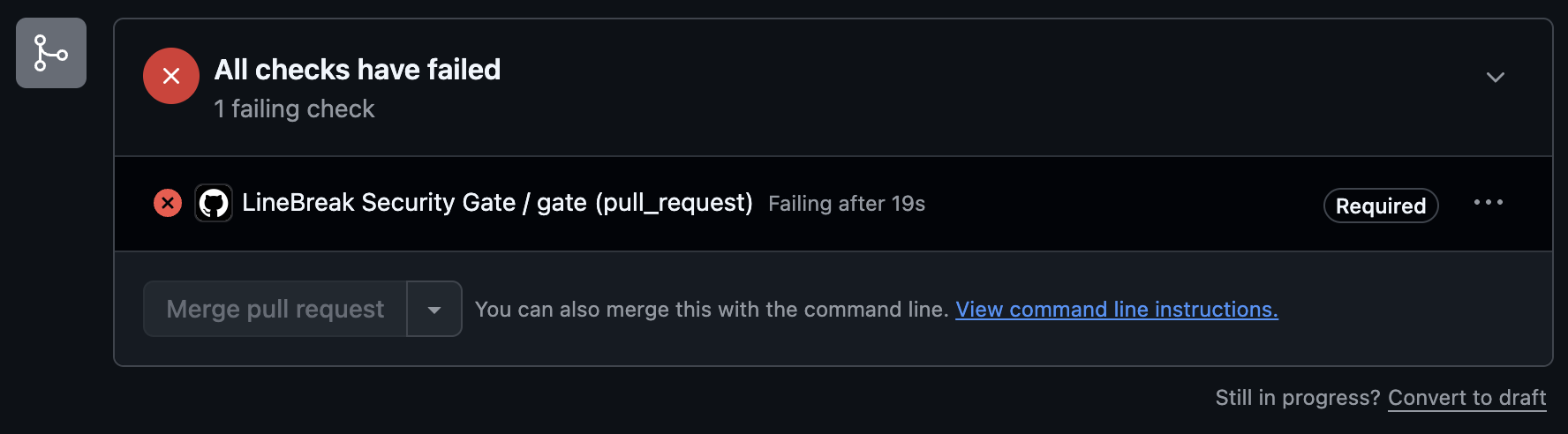
The comment updates in place on every push: fix the finding, or record a human override, and the check turns green. See it live: it is a real public PR.
Watch it run

A real run: the scan blocks a critical CVE and exits non-zero, the pin gets fixed, the gate opens. Nothing here is mocked.
Only a named human can override, on the record
AI never clears the gate. An override requires a reason and an approver, covers one exact finding only, and lives in your repo's audit trail: who accepted the risk, when, and why.
Dependency scanning is free: no key. The AI code review is Pro: unlock it with a LINEBREAK_LICENSE_KEY (hosted, on credits) or your own ANTHROPIC_API_KEY. License keys are issued by our team during onboarding. No self-serve checkout yet; request yours via Talk to us.